How to organize family events
Most family events are not hard to plan. They are hard to decide.
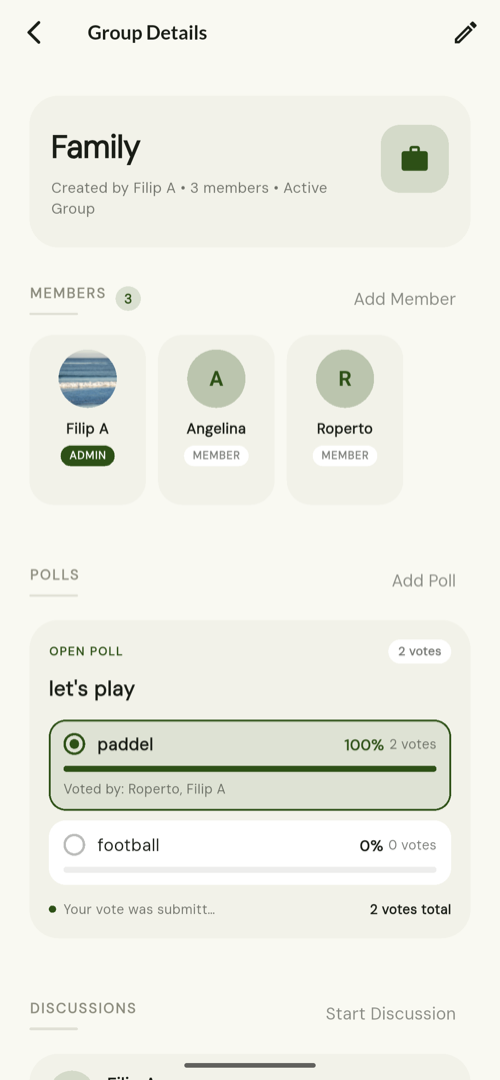
Short answer
Organise a family event in three stages, each in its own place. Settle the decision with a poll, so one vote per person replaces forty messages. Keep the planning in a named discussion, so it can be reopened months later instead of scrolling back through a chat. Then, after the event, record it as a memory attached to the people who were there, so next year you are not starting from nothing.
Decide with a poll, not a thread
"Where should we eat?" is the single most common thing a family group needs to resolve, and a chat thread is a poor instrument for it: votes get buried, people repeat each other, and nobody can tell when it is settled.
A poll gives one vote per member, lets people change their mind without double-counting, shows who chose what, and can be closed when it is decided.
Plan in a named discussion
Give the event a title — "Eid Dinner 2026" — and everything posted under it stays under it. Months later it is still a named entry in the group's list rather than four hundred messages back.
A poll can be attached to the discussion, so the argument and its outcome live in the same place.
Put the key date on the people it belongs to
A recurring gathering is a key date, recorded on the contacts or the group it belongs to, and it will surface again on its own as it approaches.
Record it afterwards
An event becomes a memory once it has happened: a short note, the photographs that matter, the date and the place, attached to the people who were there.
That record is what makes next year's version easier to plan and worth remembering.
Frequently asked questions
Can everyone in the group vote?
Yes, one vote each. Changing a vote replaces the previous one rather than adding to it.
Can I reopen a discussion later?
Yes. Discussions stay in the group's list under their title and can be reopened at any time.
Does it send invitations or track attendance?
Not today. Group invitations exist for joining a group; per-event RSVP is not a feature.
TreeLinker — a family relationship management app.
Related pages
Events and key dates
Birthdays, weddings and anniversaries recorded on the people they belong to, with the ones approaching surfaced in the app.
Groups
Private, invitation-only shared spaces for a family, a neighbourhood or a class, with polls, named discussions and shared memories.
How to remember family birthdays
Record birthdays and anniversaries as key dates on the people they belong to, and let the ones coming up surface on their own.
Start with the contacts you already have
TreeLinker is free on Google Play. No ads, no subscription, and your address book never leaves your phone.
Android. Free. No account required to browse your own contacts.