How to document family memories
Most family history is lost not to time but to nobody writing it down.
Short answer
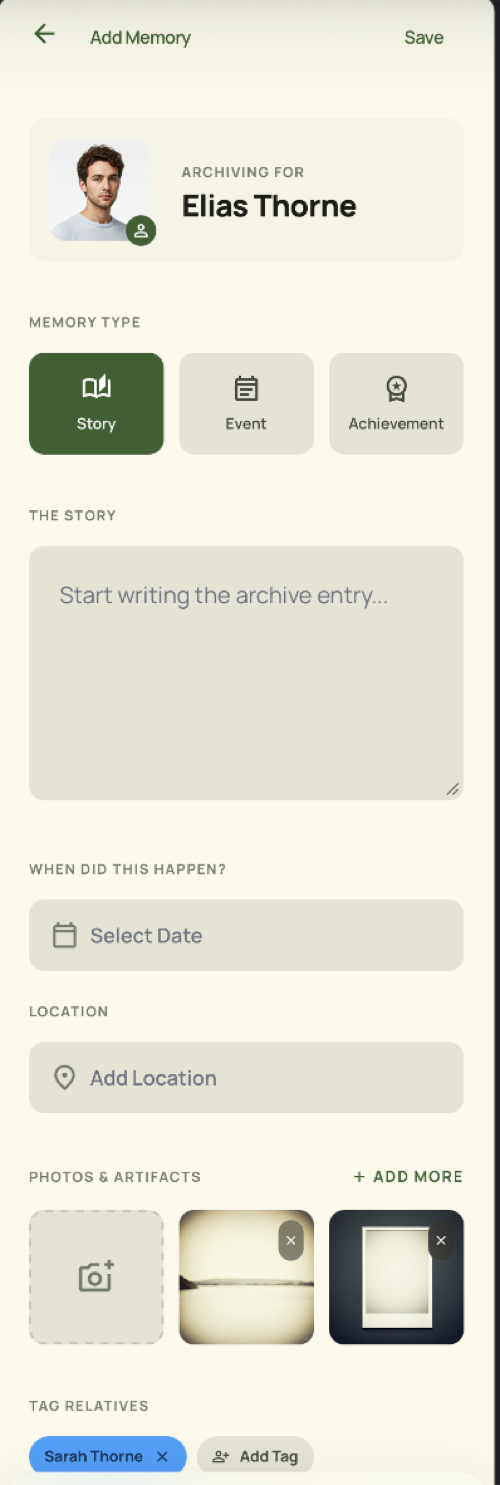
Attach each memory to the person it is about rather than filing it by date. Record it as a story if it is something worth retelling, an event if it happened once with people present, or a key date if it recurs. Add the photos that give it meaning, the place, and the date. Start with the oldest relatives, because theirs is the knowledge with a deadline.
Start with the people who hold the most
Every family has one or two people who know how everyone is connected and what happened. Record their knowledge first. This is the only part of the task that is genuinely urgent.
Write it where it belongs
A memory attached to a person is findable by opening that person. A memory in a chronological feed is findable only by scrolling.
Group memories work the same way for things the whole family did together.
A short record beats no record
Three sentences and one photograph is a complete memory. Waiting until you have time to do it properly is how it ends up not being done at all.
Keep the details that locate it
A date and a place turn an anecdote into a record. They are also what lets someone else, years later, connect it to something they know.
Frequently asked questions
Can I attach more than one photo?
Yes. Memories support photos along with a date and a place.
Can I record audio?
Not currently. Memories are text, photos, dates and places.
Who can see a memory I add to a contact?
Only you, unless it is a group memory, which the group's members can see.
TreeLinker — a family relationship management app.
Related pages
A family memory app built around people
Keep family stories, events and key dates attached to the people they are about, with photos, dates and places — not scattered through a camera roll.
Memories
Shared stories, events and key dates with photos, dates and places, attached to the person or group they belong to.
Events and key dates
Birthdays, weddings and anniversaries recorded on the people they belong to, with the ones approaching surfaced in the app.
Start with the contacts you already have
TreeLinker is free on Google Play. No ads, no subscription, and your address book never leaves your phone.
Android. Free. No account required to browse your own contacts.