A contact manager organised by relationship
Names and numbers are the least interesting thing about the people in your phone.
Short answer
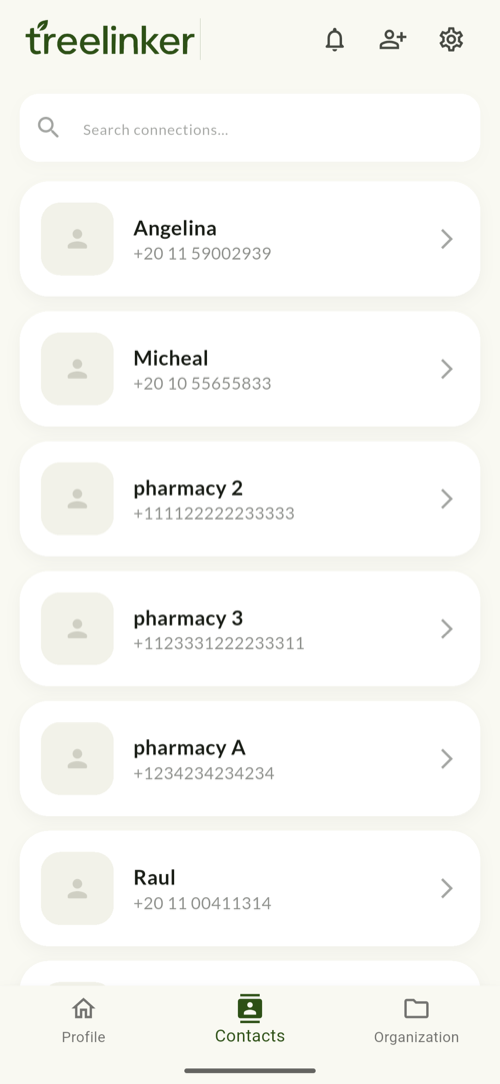
TreeLinker is a contact manager for Android that organises your address book by relationship rather than alphabetically. Every contact can carry relationships to other people, group memberships, private tags, a timeline of what has happened between you, key dates, and shared memories. It reads the contacts already on your device, keeps them there, and adds the context an ordinary address book has nowhere to put.
What an ordinary contact app stores
A standard address book records a name, a number, maybe an email and a company. That is enough to place a call and not much else.
It cannot tell you that the person calling is your wife's cousin, that you last spoke at a wedding in June, or that they are the electrician who did good work two years ago. That information exists in your head and nowhere else.
What TreeLinker stores instead
Each contact in TreeLinker is a person with a position in your life rather than a row in a list.
- Relationships to other contacts, drawn as a family tree
- Groups — a family, a neighbourhood, a class — with invitations and shared spaces
- Tags such as Doctor, Plumber or Cairo, private to you, with their own colour and icon
- A timeline of notes and incoming calls, newest first, with the entries that matter pinned
- Key dates and events that surface as they approach
- Stories and memories with photos, dates and places
Search that reaches past the name
The contact list filters as you type against a prebuilt index, so a few thousand contacts stay fast. Groups and tags each have their own search over their assigned contacts.
Because a person can belong to several groups and carry several tags at once, the same contact is reachable from however you happen to be thinking about them.
Where your contacts live
TreeLinker stores your address book on your device. Syncing to your TreeLinker account is optional, and there is no shared directory that other users can search.
TreeLinker never writes to your phone's address book on its own either. Adding someone to your contacts is always something you do deliberately.
Frequently asked questions
Does it merge duplicate contacts?
It collapses duplicates when it shows you a list, so the same person does not appear twice in a tree or a group. It does not yet merge the underlying records in your phone's address book.
Does it back up my contacts?
Not as a standalone backup feature today. Contacts sync to your TreeLinker account when you enable syncing.
Can I use it without an account?
You need an account for anything that syncs or is shared, such as groups and tree sharing.
Does it need my call log?
No. TreeLinker never requests call log access. Incoming calls are seen through Android's call screening role, one call at a time.
TreeLinker — a family relationship management app.
Related pages
Contacts
Your phone's address book, read on device, searchable, and extended with relationships, groups, tags, timelines and memories.
How to organise family contacts
A method for a large address book: relationships first, then groups for the shared spaces, then private tags for everything that cuts across them.
Contact management apps compared
Sync-and-dedupe tools, personal CRMs and relationship-first apps solve different contact problems. Where each one fits, and where TreeLinker does not.
Start with the contacts you already have
TreeLinker is free on Google Play. No ads, no subscription, and your address book never leaves your phone.
Android. Free. No account required to browse your own contacts.