Know how everyone in your contacts is related
Your phone already knows everyone's number. It has no idea who they are to each other. TreeLinker adds the missing layer — the relationships — and keeps your address book on your device while it does.
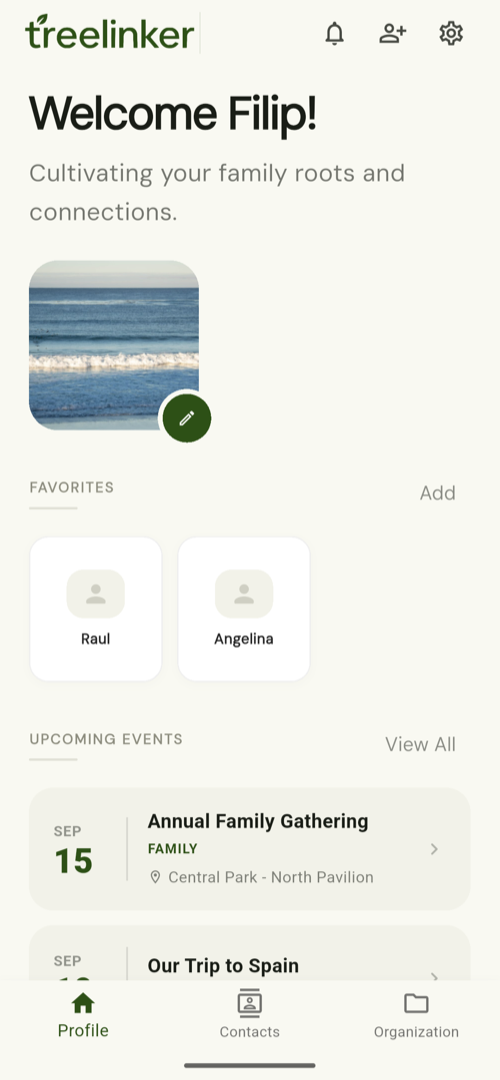
Short answer
TreeLinker is a family relationship management app for Android. It reads the contacts already on your phone, lets you record how those people are related, and draws the result as a family tree. Around that it adds groups, tags, events, memories and a caller identification card that tells you how an incoming caller is connected to you. It is free, has no ads, and never uploads your address book to a shared database.
The tree draws itself
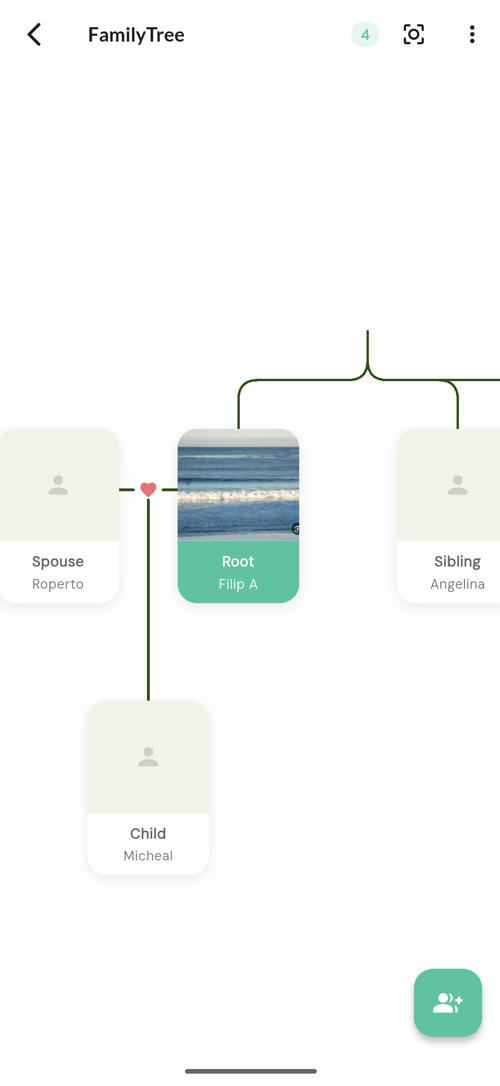
Link two people once and the reverse relationship is created for you. Keep going outwards — spouse, sibling, child — and the shape of the family appears, built from the contacts already on your phone rather than from a form you filled in twice.
It proposes what your tree already implies
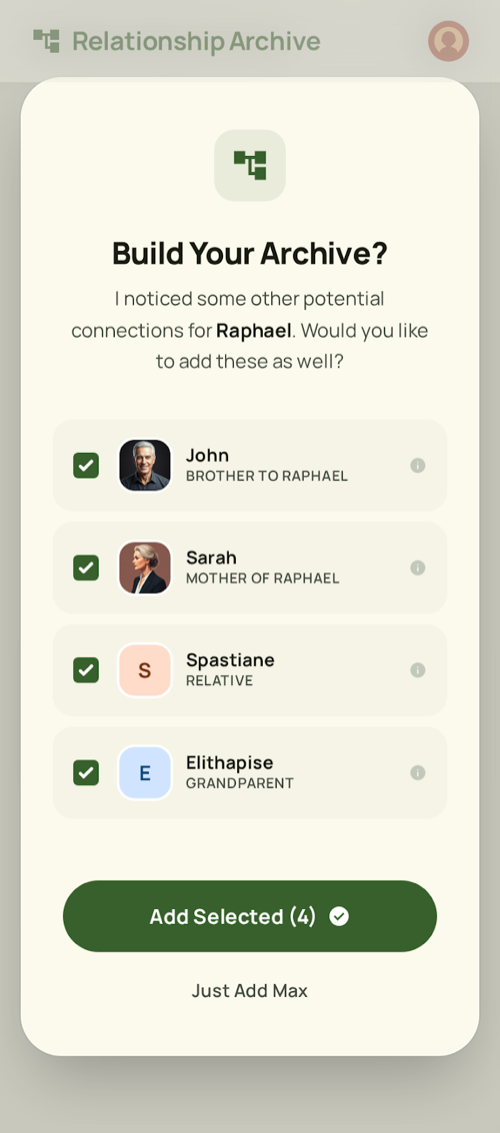
Your brother's son is your nephew. TreeLinker works that out, shows you who it found and why, and then waits. Nothing joins your archive until you tick it.
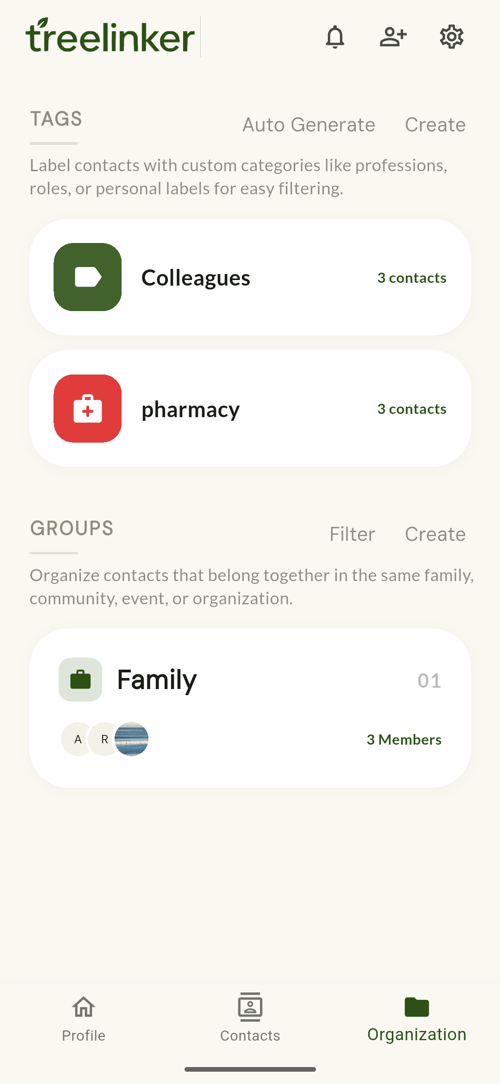
Groups for the gatherings, tags for everything else
A group is a shared space with members, polls and discussions — a family, a street, a class. A tag is a private label, Colleagues or Pharmacy or a city name, that cuts across all of them and that nobody else ever sees.
One app for the people in your life
Eight parts, one idea: everything hangs off a person.
Family tree from your contacts
Start from the address book you already have instead of typing hundreds of names again. Link two people and the reverse relationship is created for you.
Relationship suggestions
When your tree implies a relationship — your brother's son is your nephew — TreeLinker proposes it with a confidence score and an explanation you can accept, change or ignore.
Groups and tags
Groups are shared spaces for a family, a neighbourhood or a class. Tags are private labels — Doctor, Plumber, Cairo — that cut across all of them.
Events and key dates
Birthdays, weddings and anniversaries live on the people they belong to, and the ones coming up surface on your home screen.
Memories
Stories, events and key dates with photos, dates and places, attached to the person they are about rather than lost in a camera roll.
Caller identification
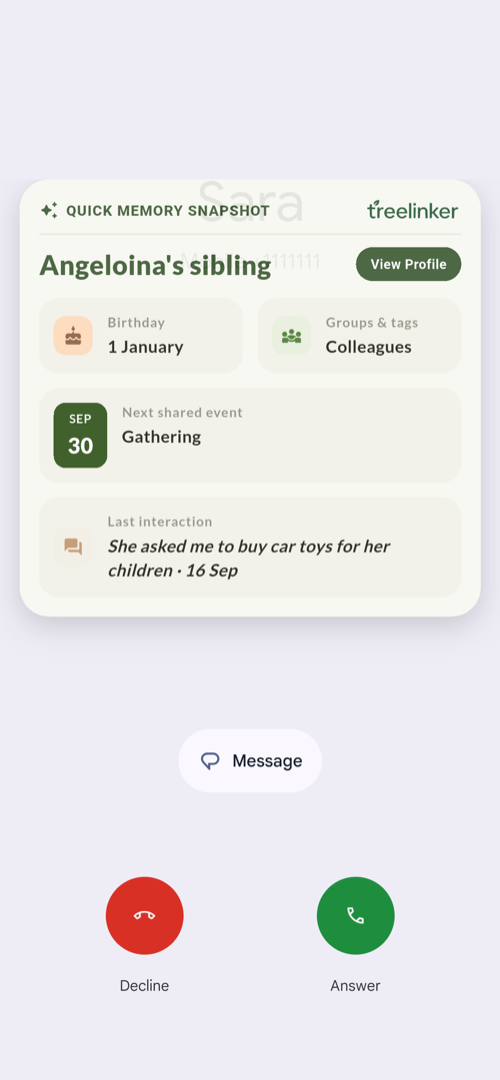
When someone in your contacts calls, TreeLinker shows how they are related to you — not just a name. Nothing is looked up online and nothing is published.
Up and running in minutes
Open your contacts
TreeLinker reads the address book already on your phone. Nothing is uploaded and nothing is re-typed.
Link two people
Say that Omar is your brother. The reverse relationship is created automatically, and your tree stops being empty.
Keep the context
Add groups, tags, key dates and memories as you go. The tree becomes a record of the people, not just their numbers.
The problem with an ordinary address book
A contact list stores a name and a number. It does not store the one thing you actually forget: who this person is to you, and to everyone else in the list.
In an address book of a few thousand people that gap gets expensive. Four people share a first name. A cousin you met twice calls and you cannot place them. Someone dies and nobody can say how the family was connected. The information existed — it just never had anywhere to live.
What TreeLinker adds
TreeLinker keeps the address book and adds the relationships between the people in it. Once those exist, everything else follows: the tree can be drawn, relatives can be grouped, a caller can be placed, and a memory can be attached to the people who were there.
- Parent, child, sibling, spouse, friend, relative and other relationship types, each with its own colour and icon
- Automatic reciprocal relationships — record one direction and the other is created
- Relationship suggestions with a confidence score and a plain-language explanation
- Groups with invitations, polls and named discussions
- Tags with assigned contacts, colours and icons
- A timeline on every contact, including incoming calls
- Shared stories, events and key dates with photos, dates and places
- Family trees you can share with another TreeLinker user, who sees the same people under their own names
Private because of how it is built, not because of a promise
TreeLinker is local-first. Your contacts, relationships and memories are stored on your device, and syncing them to your account is something you turn on rather than something that happens by default.
The caller identification is the clearest case. TreeLinker has no database of phone numbers and no way to name a stranger, because it never collects one. If an incoming number is not already someone you know, it shows nothing at all.
Frequently asked questions
Does TreeLinker upload my contacts?
No. Your address book is read on your device and stays there. TreeLinker does not build a shared directory of phone numbers and cannot tell anyone who owns a number.
Is TreeLinker free?
Yes. It is free on Google Play, with no ads and no subscription.
Is there an iPhone version?
Not yet. TreeLinker is Android only today.
Do I need my family to install it too?
No. You can map your whole family on your own. Sharing a tree with another TreeLinker user is optional and one-time — nothing keeps syncing afterwards.
TreeLinker — a family relationship management app.
Related pages
A family tree app that starts from your contacts
Most family tree apps make you type every name from scratch. TreeLinker builds the tree out of the contacts already on your phone, creates reverse relationships automatically, and suggests the ones your tree implies.
Caller ID that never uploads your contacts
Most caller ID apps work by uploading everyone's address book into a shared database. TreeLinker does not have one. It shows how a caller is related to you, using only the contacts already on your phone.
A contact manager organised by relationship
A contact manager that organises people by how they are related to you, not just by name. Groups, tags, per-contact timelines and key dates, stored on your device.
Start with the contacts you already have
TreeLinker is free on Google Play. No ads, no subscription, and your address book never leaves your phone.
Android. Free. No account required to browse your own contacts.