Family tree
The relationships you record, drawn.
Short answer
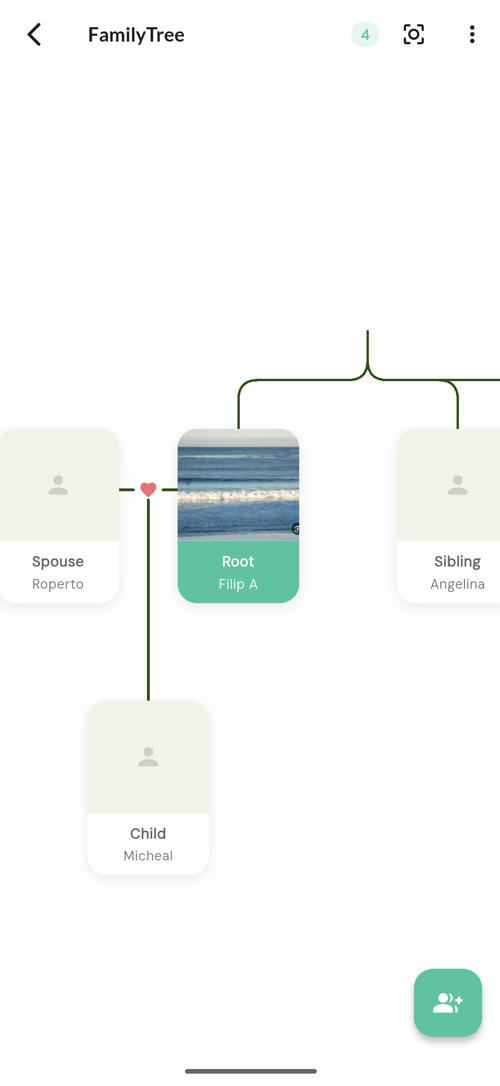
TreeLinker draws your recorded relationships as an interactive family tree you can zoom and pan. Each relationship type — parent, child, sibling, spouse, friend, relative, other — has its own colour and icon, so a dense tree stays readable. The people in it come from the contacts already on your phone, and recording one direction of a relationship creates the reverse automatically.
Built from contacts, not forms
Every person in the tree can be a contact you already have. Relatives with no phone record can be added manually.
Readable at a glance
Colour and icon per relationship type, with zoom and pan, so the structure is visible without reading every label.
Shareable, on your terms
A tree can be sent to another TreeLinker user. They see the same people under the names in their own address book, and choose what to save.
Frequently asked questions
How large can a tree be?
There is no set limit on the number of people or relationships.
Does it work offline?
Yes, fully.
TreeLinker — a family relationship management app.
Related pages
A family tree app that starts from your contacts
Most family tree apps make you type every name from scratch. TreeLinker builds the tree out of the contacts already on your phone, creates reverse relationships automatically, and suggests the ones your tree implies.
Relationships
Seven relationship types, automatic reciprocal links, and suggestions with confidence scores and plain-language explanations.
How to create a family tree
A practical walkthrough: start from the contacts you already have, link the first relationship, let the reverse one be created, and grow outward from there.
Start with the contacts you already have
TreeLinker is free on Google Play. No ads, no subscription, and your address book never leaves your phone.
Android. Free. No account required to browse your own contacts.