Tags
Private labels that cut across every group.
Short answer
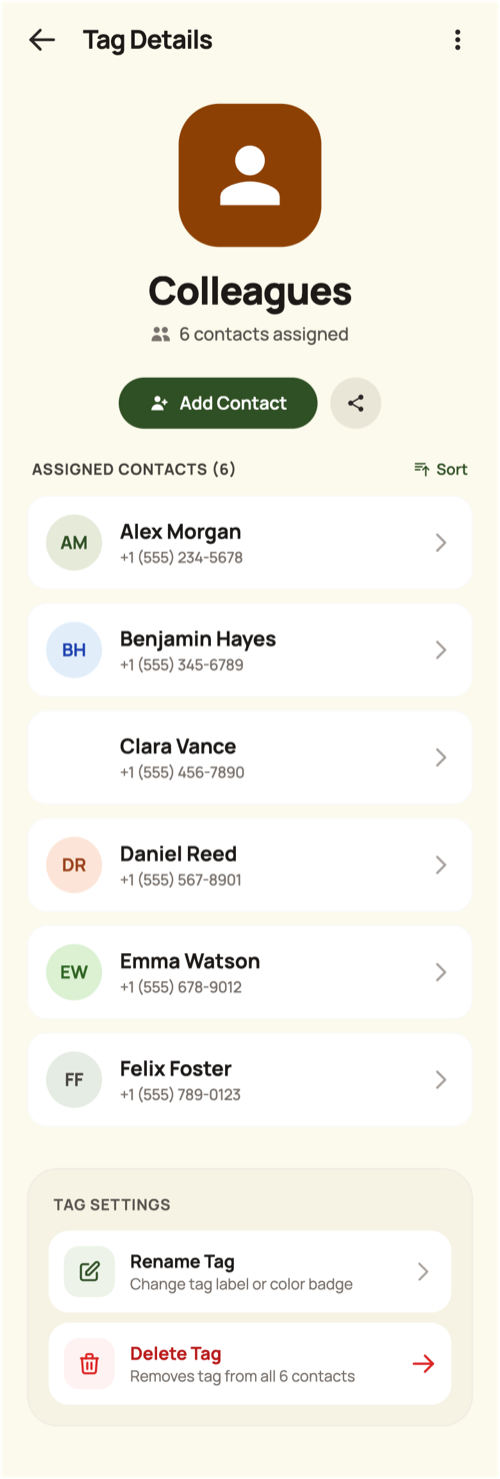
A tag is a private label you assign to contacts — Doctor, Plumber, Work, a city. It has a name, a colour, an icon, an optional description and a searchable list of assigned contacts. Tags are visible only to you, which is what makes them useful for labels you would never put in a shared space. TreeLinker can suggest tags from your contacts, but never creates one without you.
Private, unlike groups
Groups are shared spaces with members. Tags are your own filing system and are never exposed to anyone.
Organised for scanning
Each tag card shows its icon on its colour with the number of contacts assigned, and the list is sorted alphabetically with a search over the assigned contacts.
Suggested, not imposed
TreeLinker can propose tags based on what it sees in your contacts. Suggestions are computed in the moment and never stored unless you accept them.
Frequently asked questions
Can two tags have the same name?
No. Duplicate names are rejected regardless of capitalisation.
Is Favourite a tag?
No, favourites are a separate feature.
TreeLinker — a family relationship management app.
Related pages
A family organiser that keeps decisions findable
Organise relatives into private groups, label contacts with your own tags, and settle family decisions with polls and named discussions that stay findable.
Contacts
Your phone's address book, read on device, searchable, and extended with relationships, groups, tags, timelines and memories.
How to organise relatives
How to split an extended family into groups that stay useful, and when a private tag is the better tool.
Start with the contacts you already have
TreeLinker is free on Google Play. No ads, no subscription, and your address book never leaves your phone.
Android. Free. No account required to browse your own contacts.