Contacts
The address book you already have, with somewhere to put what you know.
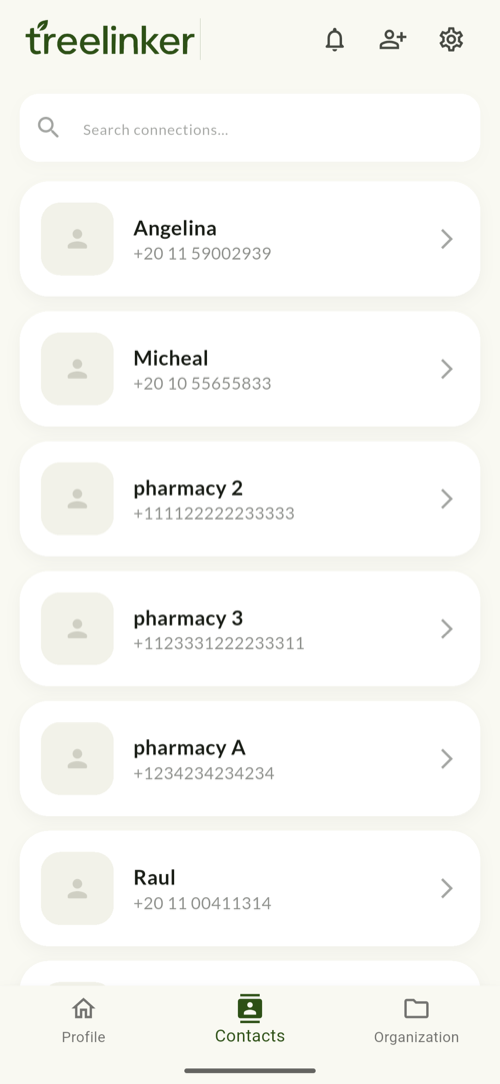
Short answer
TreeLinker reads the contacts already on your device and keeps them there. The list filters as you type against a prebuilt index so a large address book stays fast. Each contact gains relationships, group memberships, private tags, a timeline and memories. TreeLinker never writes to your phone's address book on its own, and never uploads it.
Fast on a large address book
Search filters against an index built once per list rather than re-scanning on every keystroke, so several thousand contacts stay responsive.
Duplicates collapsed in lists
The same person often exists as several records — a device contact, a synced stub, a second number. TreeLinker folds them together wherever it shows a list, so nobody appears twice in a tree or a group.
Enriched, not exported
Where a contact is also a TreeLinker user, their profile picture can be shown. Matching is done by comparing hashed phone numbers, and no names are exchanged.
Frequently asked questions
Does TreeLinker edit my phone contacts?
No. Any change to your address book is something you make deliberately.
Does it merge duplicates permanently?
Not yet. It collapses them for display only.
TreeLinker — a family relationship management app.
Related pages
A contact manager organised by relationship
A contact manager that organises people by how they are related to you, not just by name. Groups, tags, per-contact timelines and key dates, stored on your device.
Tags
Private labels with a colour, an icon and a list of assigned contacts. Nobody else ever sees them.
How to organise family contacts
A method for a large address book: relationships first, then groups for the shared spaces, then private tags for everything that cuts across them.
Start with the contacts you already have
TreeLinker is free on Google Play. No ads, no subscription, and your address book never leaves your phone.
Android. Free. No account required to browse your own contacts.